Predictive Risk Management:
The 3-Signal Framework
for Zero-Surprise Projects in 2026
For project managers and ops leads still finding out about problems the same week they explode.
The Problem With How Most Teams Manage Risk
Most project risk management in 2026 still works like this: something goes wrong, a deadline slips, a stakeholder escalates, and the post-mortem reveals that the warning signs were there three weeks earlier — buried in a comment thread, a stalled task, or a vendor that stopped responding.
That’s not a people problem. It’s a systems problem. Manual risk logs updated once a week can’t compete with the speed at which modern projects move. By the time a risk surfaces in a status meeting, it’s already a crisis.
Predictive risk management replaces the post-mortem with a pre-mortem. Instead of asking “what went wrong,” it asks “what does the data say is likely to go wrong” — before the deadline is missed, before the client calls, before the budget is already spent.
This briefing gives you the framework to build that system, and the tools to run it.
What Predictive Risk Management Actually Is (And What It Isn’t)
Predictive risk management is the practice of using historical project data, real-time signals, and pattern recognition to identify risks before they materialize into problems.
It is not a magic dashboard that tells you the future. It is not a replacement for judgment. And it is not something that requires a six-figure enterprise software contract to implement.
What it is: a structured method for monitoring three specific signals in your project environment — and acting on them before they become incidents.
The distinction that matters most: reactive risk management responds to events. Predictive risk management responds to signals. Signals are weaker than events, which means you catch them earlier — when they’re still cheap to fix.
The WorkflowAces 3-Signal Framework
After analyzing how Wrike, ClickUp, Monday.com, and Smartsheet implement AI-driven risk detection, the underlying logic reduces to three data signals that project managers can monitor regardless of which tool they use.
What it is: A measurable decline in the rate at which tasks are being completed relative to the planned pace.
Why it matters: Velocity drops almost always precede missed deadlines by 10–21 days. By the time the deadline is missed, the velocity signal has been visible for weeks.
What to watch: If your team completes 85% or more of planned tasks in a given week, you’re on track. A sustained drop below 70% for two consecutive weeks is a red flag — not a yellow one.
How to track it: Every PM tool with a Gantt or sprint view gives you this data. The work is building the habit of reading it weekly, not monthly.
What it is: A change in the tone, frequency, or content of team communications that precedes a delay or quality issue.
Why it matters: Before a team member goes silent, burns out, or misses a handoff, there are almost always behavioral signals in how they communicate. Messages get shorter. Response times lengthen. The language shifts from confident to hedging (“I’ll try to have it done by Friday” instead of “it’ll be done Friday”).
What to watch: This is the hardest signal to systematize manually. Wrike’s Work Intelligence engine does this automatically. For teams not on Wrike, a weekly 3-question async standup — “What’s done? What’s next? What’s blocked?” — surfaces this signal if you actually read the patterns across 4–6 weeks.
What it tells you: Communication sentiment shifts are the earliest signal in the framework. They often appear before velocity drops by 1–2 weeks, giving you maximum lead time.
What it is: The narrowing of slack time between dependent tasks — when the buffer between linked deliverables shrinks to zero or goes negative.
Why it matters: Most project plans have built-in buffer. When that buffer erodes — because one task ran over, a reviewer took longer than expected, or a vendor was late — the downstream tasks have no room to absorb further delays. One more slip cascades into a missed deadline.
What to watch: Any task with a dependency chain and fewer than 3 days of slack remaining is a live risk. Any task with negative slack (the dependency is already overdue) is an active incident, not a potential one.
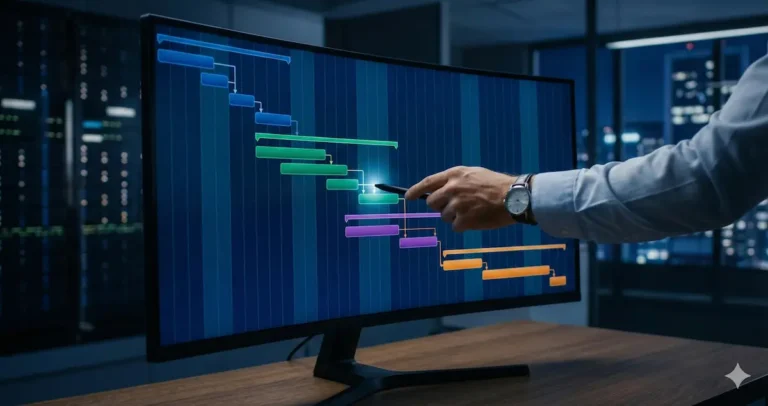
How to track it: This is where Gantt views earn their value. ClickUp’s Gantt view color-codes critical path tasks. Monday.com’s dependency tracking shows compression in timeline view. If you’re not using dependencies in your PM tool, you’re flying blind on Signal 3.
The 3-Signal Framework in Practice
Each signal alone is manageable. All three appearing in the same week is not a coincidence — it’s the framework telling you that week 9 or 10 is at serious risk.
The action isn’t a meeting. It’s a one-on-one with the frontend lead, a realistic reassessment of the design handoff timeline, and a deliberate decision about which features to descope if the buffer is gone. Made in week 6, that’s a manageable conversation. Made in week 11, it’s a crisis.
What Each Platform Does
Not every team needs an enterprise risk platform. Here’s how the 4 leading tools handle each signal — with real pricing verified March 2026.
| Signal | Wrike | ClickUp | Monday.com | Smartsheet |
|---|---|---|---|---|
| Velocity Drop | ✓ AI flags automatically | ✓ Sprint burndown + Brain | ✓ AI risk insights | ✓ Predictive analytics |
| Sentiment Shift | ✓ Work Intelligence | ◐ Manual standups | ◐ Sidekick AI | ✗ Not native |
| Dependency Compression | ✓ Real-time critical path | ✓ Gantt critical path | ✓ Timeline dependencies | ✓ Best-in-class Gantt |
| AI Risk Detection | Automatic, proactive | Semi-automatic with Brain | Dashboard-level alerts | Timeline-focused only |
| Best For | Enterprise PMOs | SMB technical teams | Cross-functional visibility | Spreadsheet-fluent teams |
| Starting Price | ~$25/user/mo | $12/user/mo | $12/user/mo | $9/user/mo |
| Free Plan | ✗ | ✓ (limited AI) | ✗ | ✗ |
Which Tool Fits Your Team
Wrike’s Work Intelligence engine monitors all three signals automatically — velocity, sentiment via communication analysis, and dependency compression via critical path tracking. Its AI Project Risk Prediction uses machine learning to analyze historical factors like task complexity and owner activity, flagging potential delays with red, amber, and green alerts.
Tradeoff: Complexity and pricing make it overkill for teams under 15 people.
ClickUp Brain monitors task patterns and generates automated risk alerts on the Business plan. The Gantt view handles dependency compression tracking cleanly. Sentiment monitoring requires a manual standup workflow.
Advantage: At half the price of Wrike, you get Signal 1 and Signal 3 automated — 80% of the framework.
Monday.com’s AI-powered risk insights scan project updates in real time, providing urgency levels and specific mitigation recommendations. Its visual dashboards are the clearest of the four for stakeholder reporting.
Limitation: Risk detection is board-level, not workspace-level — cross-project risk correlation requires manual work.
Smartsheet’s AI features center on automated data insights, trend detection, and predictive analytics for project timelines. It handles Signal 3 (dependency compression) better than any tool in this list.
Limitation: Does not handle sentiment monitoring natively. Best for finance, ops, and data-heavy teams.
Common Implementation Mistakes
The 3-Signal Framework only works if you triage. A velocity drop of 5% is noise. A velocity drop of 20% sustained over two weeks is a signal. Set thresholds before you start monitoring — otherwise every amber alert becomes a meeting and the framework creates more noise than it eliminates.
AI risk detection is only as good as the task data it reads. If your tasks have vague names (“Review stuff,” “Follow up”), no assignees, and no due dates, the system will produce meaningless output. Before enabling AI risk features, spend one week standardizing task naming conventions and ensuring every active task has an owner and a due date.
Signal 3 (dependency compression) is invisible if your tasks aren’t linked. Most teams add tasks to a Gantt but don’t set dependencies — then wonder why the critical path view shows nothing useful. Linking dependencies takes 30–60 minutes on a typical 50-task project. It’s the single highest-ROI setup action in this framework.
The point of catching a signal early is to act early — not to document it and present it in a status meeting. Each signal should have a pre-defined response: who gets notified, what decision gets made, and what changes. Build the response protocols before the first signal fires.
Implementation Checklist
Work through this in order. The full setup takes 2–3 weeks for a team of 5–15 people.
The Bottom Line
Predictive risk management is not a technology purchase. It’s a discipline that technology enables. The 3-Signal Framework — velocity, sentiment, dependency — gives you a structured method for catching project failures before they happen, regardless of which tool you’re using today.
For SMB teams on a budget: ClickUp Business at $12/user/month covers Signal 1 and Signal 3 automatically. Add a structured async standup workflow for Signal 2 and you have a functional predictive system at a fraction of enterprise pricing.
For teams managing complex multi-project portfolios: Wrike is the only tool that monitors all three signals automatically, including sentiment analysis via its Work Intelligence engine. The higher price reflects that capability — and for teams where a missed deadline costs more than the annual software bill, the ROI is straightforward.
The teams that don’t need this framework yet are the ones running simple, short-cycle projects with stable teams and predictable workloads. For everyone else — particularly ops leads, agency PMs, and product managers running multi-team launches — the cost of one preventable crisis almost always exceeds the cost of implementing this system.
Related Reading
Frequently Asked Questions
More Expert Reviews
Best AI Gantt Chart Software for Small Business in 2026
In 2026, managing a project timeline without intelligent automation is a recipe for missed deadlines. For growing companies, implementing the…
ClickUp vs Asana (2026): One Costs $1,559 More Per Year — Is It Worth It?
Tool Comparison · Updated March 2026 ClickUp vs Asana (2026): One Costs $1,559 More Per Year — Is It Worth…
Best Project Management Software in 2026: 7 Tools Tested and Ranked
Best-of · Updated March 2026 Best AI Tools for Project Management in 2026: 7 Platforms Tested and Ranked The best…
Agentic Project Management: The Revolutionary 2026 Trend for Autonomous Teams
The landscape of professional coordination has reached a tipping point. If 2024 was the year of generative assistants and 2025…
7 Best AI Tools for Predictive Project Risk Management in 2026
In 2026, project failure is a choice. The best AI tools for predictive project risk management have replaced traditional, reactive…
Best AI Scheduling Tools for Small Business in 2026
Expert Roundup Updated March 2026 ⊘ No sponsored content Best AI Scheduling Tools for Small Business in 2026 Ranked by…