
Tool Comparison · Updated March 2026
Notion vs Monday: Which is Better for Your Team in 2026?
A direct comparison for team leads, ops managers, and knowledge workers who need to stop switching tools and commit to one.
📅 Updated March 2026
🚫 No sponsored opinions
Overall Verdict
One costs $960 more per year. Here’s whether it’s worth it.
Choose Your Platform in 4 Questions
Monday.com — Best for execution-heavy teams (Marketing & Ops). Choose this if you need Gantt charts, Workload views, and robust automations that your team can actually use today without a 3-week learning curve.
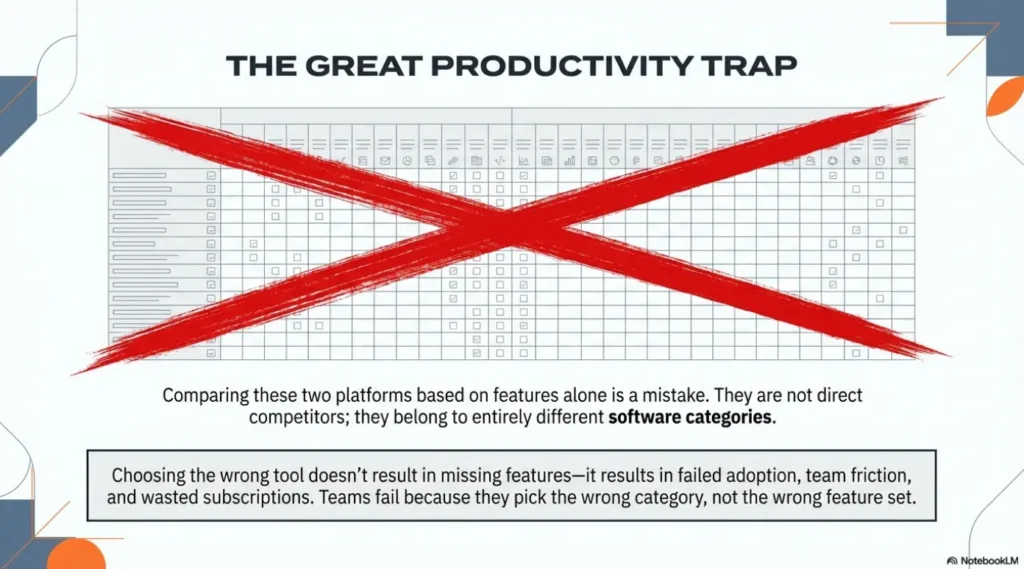
Notion and Monday.com are both productivity platforms, but they’re solving different problems. Notion is a flexible workspace — part wiki, part database, part task manager. Monday.com is a structured project management tool built around boards, timelines, and automation. Choosing between them based on feature lists alone is the wrong approach.
The real question is what your team actually does. Knowledge workers who live in documents and databases will find Monday frustrating. Project managers running cross-functional campaigns will find Notion underpowered. Most teams that end up switching did so because they picked the wrong category to begin with.
This comparison cuts through the marketing copy on both sides. Pricing is current as of March 2026. Everything here is based on direct testing.
Platform Overview

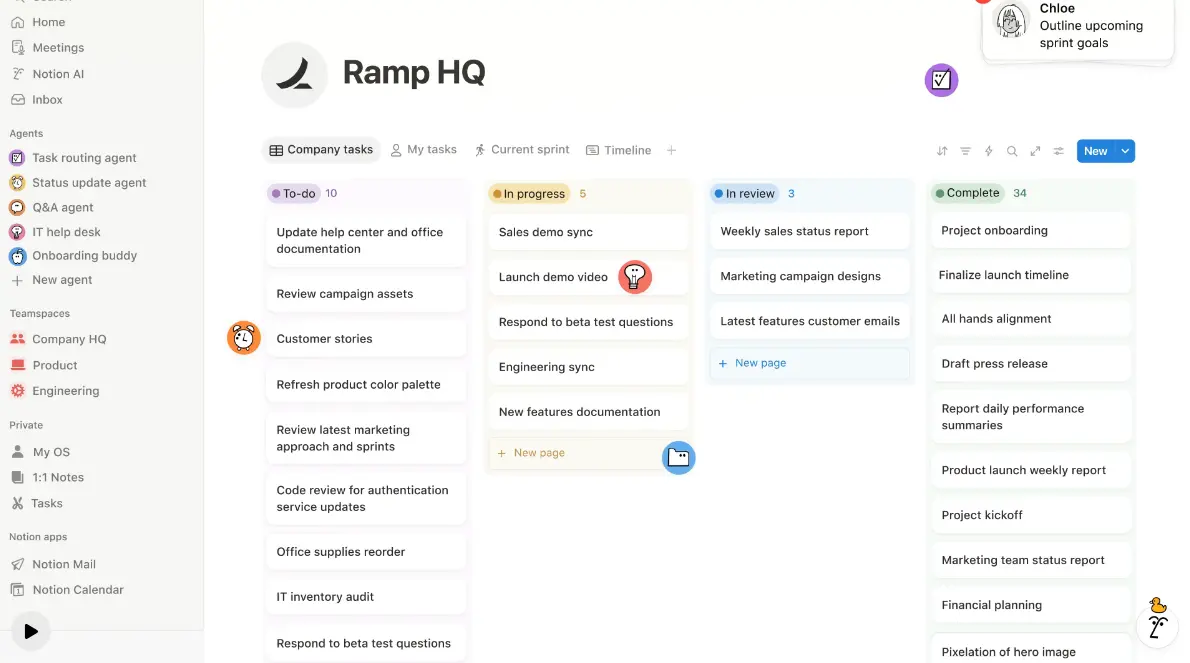
Notion launched in 2016 and has built one of the most loyal user bases in the productivity space. Its core model is block-based: every piece of content — text, table, database, embed, checklist — is a block that can be moved, nested, and connected. This makes Notion extremely flexible. You can build anything from a personal to-do list to a full company knowledge base. The tradeoff is that flexibility requires setup. Notion out of the box is a blank page, not a ready-made system.
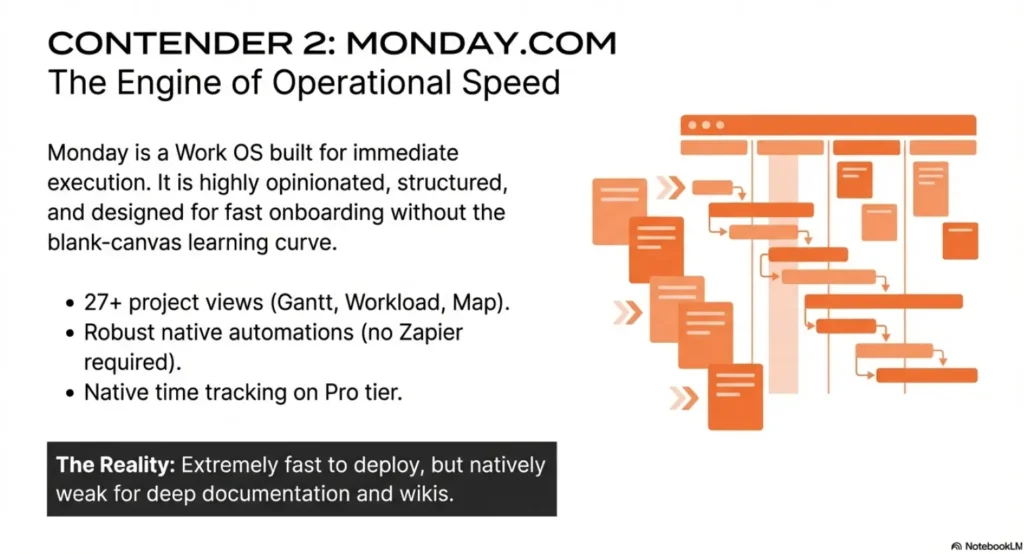
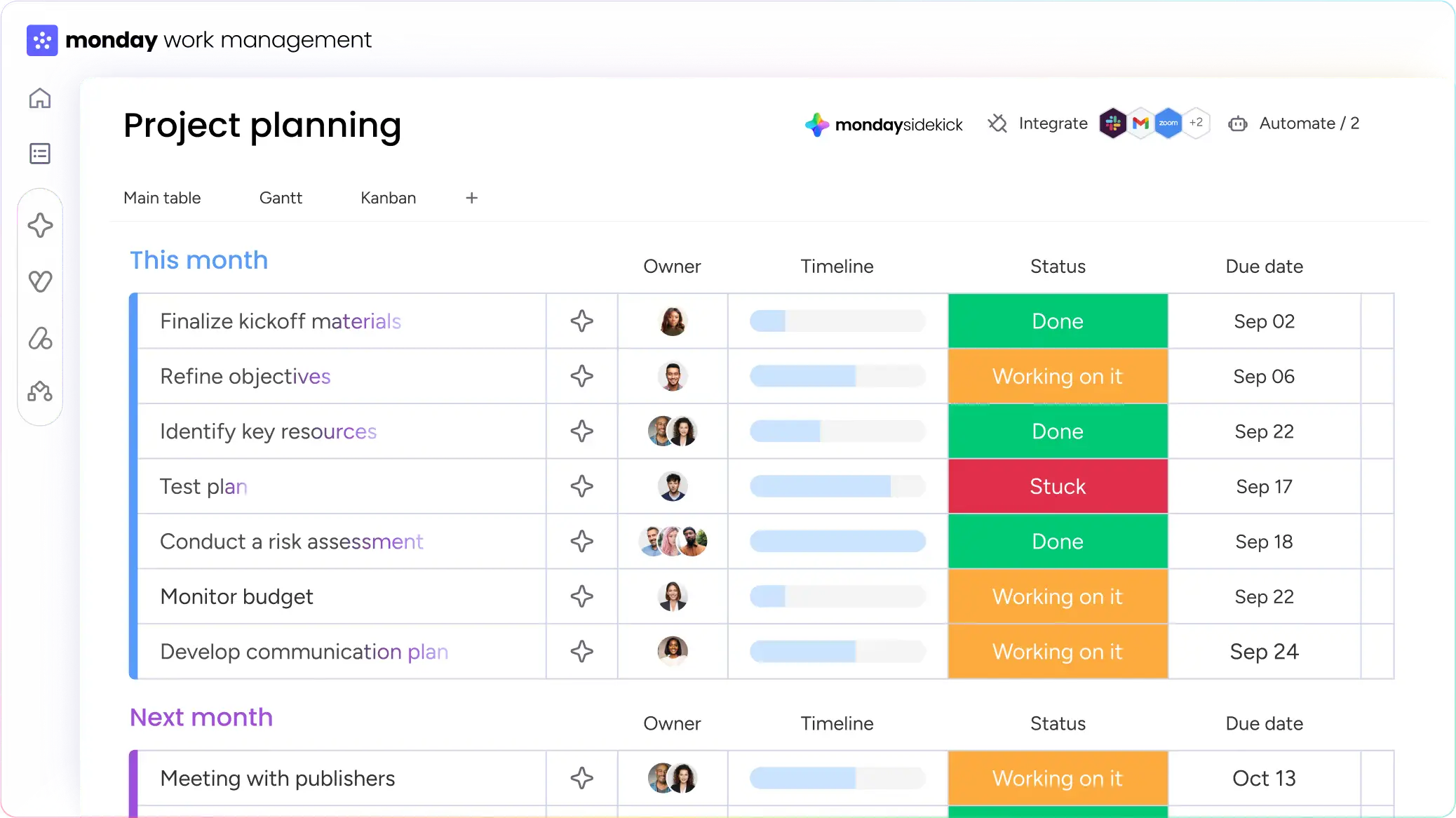
Monday.com launched in 2012 under the name dapulse, rebranded in 2017, and went public in 2021. It’s built around the concept of a Work OS — a visual board system where projects, tasks, and workflows live in structured columns with assignees, statuses, and deadlines. Unlike Notion, Monday is opinionated about structure. You get guided templates, clear onboarding, and a visual interface that non-technical teams can use within hours. The tradeoff is less flexibility and a higher price per seat.
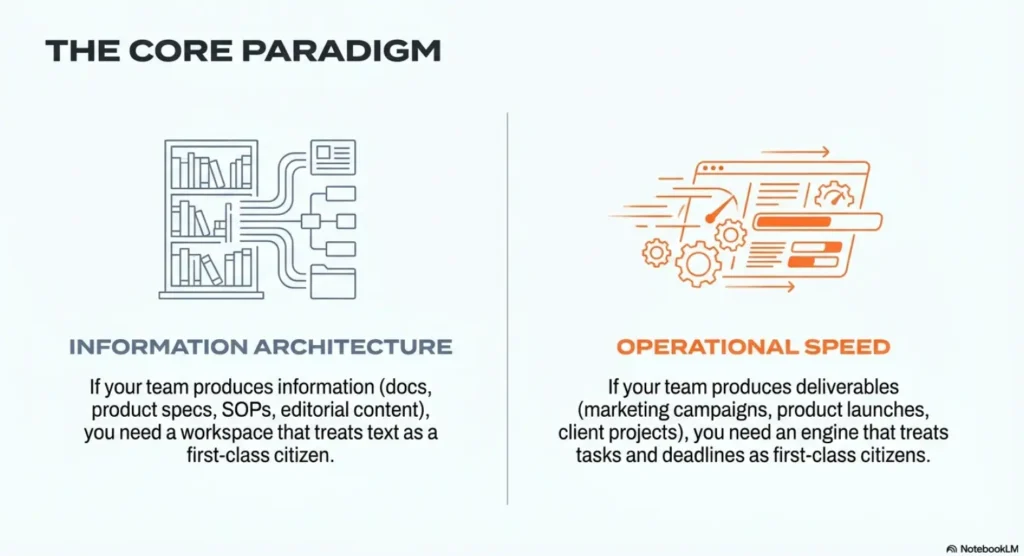
The key distinction to internalize: Notion is built for information management. Monday is built for work execution. Teams that blend both needs often end up using one for internal documentation and the other for project tracking — which is a perfectly reasonable setup, but it adds tool overhead and cost.
One pricing detail worth noting upfront: Monday.com requires a minimum of 3 paid seats. If you’re a solo operator or a 2-person team, that minimum makes Monday’s effective entry price $27/month on the Basic plan. Notion’s free tier has no seat cap for individuals and starts at $8/user on paid plans.
Feature-by-Feature Comparison
We tested both platforms across 12 criteria relevant to ops teams, content teams, and growing SMBs. Here’s the breakdown.
| Feature | ◻ Notion | ☰ Monday.com | Winner |
|---|---|---|---|
| Free Plan Quality | Unlimited blocks (solo), no time limit | 2 users, 3 boards, no automations | Notion |
| Docs & Wiki | ✓ Core feature, 5,000+ templates | Basic docs only (no nested pages) | Notion |
| Database / Tables | ✓ Relational databases, 20K rows/db | Column-based boards, no relations | Notion |
| Project Views | 6 views (Table, Board, Calendar, Gallery, List, Timeline) | 27+ views (Gantt, Kanban, Map, Workload…) | Monday |
| Automations | Limited native — relies on Zapier/Make | Robust built-in automations (Standard+) | Monday |
| Native Time Tracking | ✗ Requires integration | ✓ Pro plan+ | Monday |
| Reporting & Dashboards | No native reporting engine | 30+ dashboard widgets, workload views | Monday |
| AI Features | ✓ Full AI bundled in Business ($20/user) — Agent, Enterprise Search, Meeting Notes | ✓ AI Sidekick assistant (all plans) | Notion (depth) |
| Customization | Extremely flexible — build anything from scratch | Flexible within structured board system | Notion |
| Onboarding Speed | Slow — blank canvas requires intentional setup | Fast — guided templates, productive in hours | Monday |
| Minimum Paid Seats | 1 seat | 3-seat minimum (bucket pricing) | Notion |
| Guest Access | Free guests (100 on Plus, 250 on Business) | Unlimited viewers free, paid guests on some plans | Notion |
Feature data verified March 2026. AI bundling reflects Notion’s mid-2025 pricing restructure. Verify current plan details at each vendor’s pricing page before committing.
Pricing Breakdown
Notion restructured its pricing in mid-2025. The standalone AI add-on — previously $10/user/mo — no longer exists as a separate line item. Full AI access is now bundled into Business and Enterprise. That changes the effective cost comparison significantly at the mid and upper tiers.
Monday.com’s Work Management pricing has stayed consistent. The 3-seat minimum still applies on all paid plans and uses bucket pricing — a team of 4 pays for 5 seats, a team of 6 pays for 10. That’s the most important cost factor for small teams evaluating the platform.
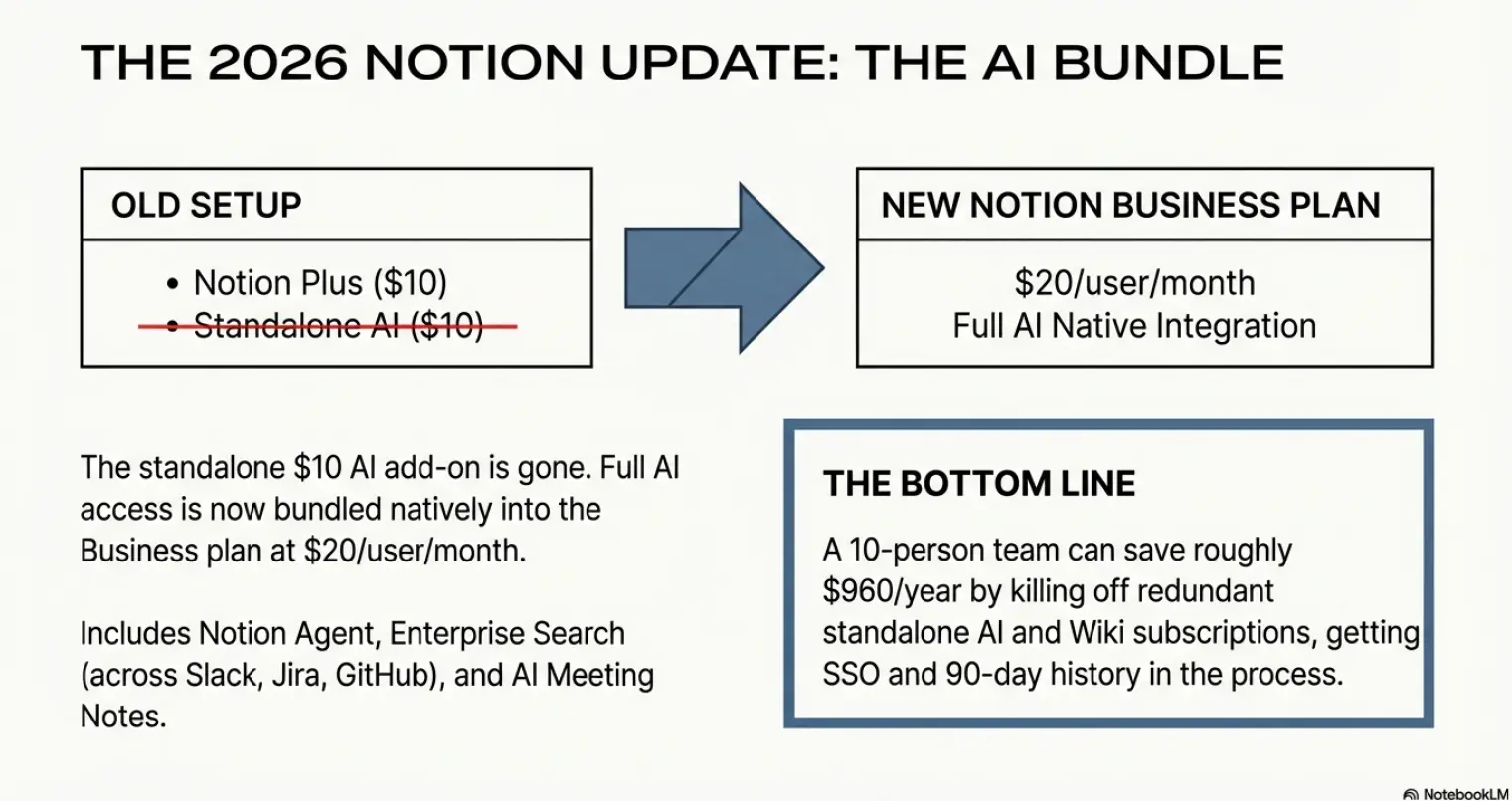
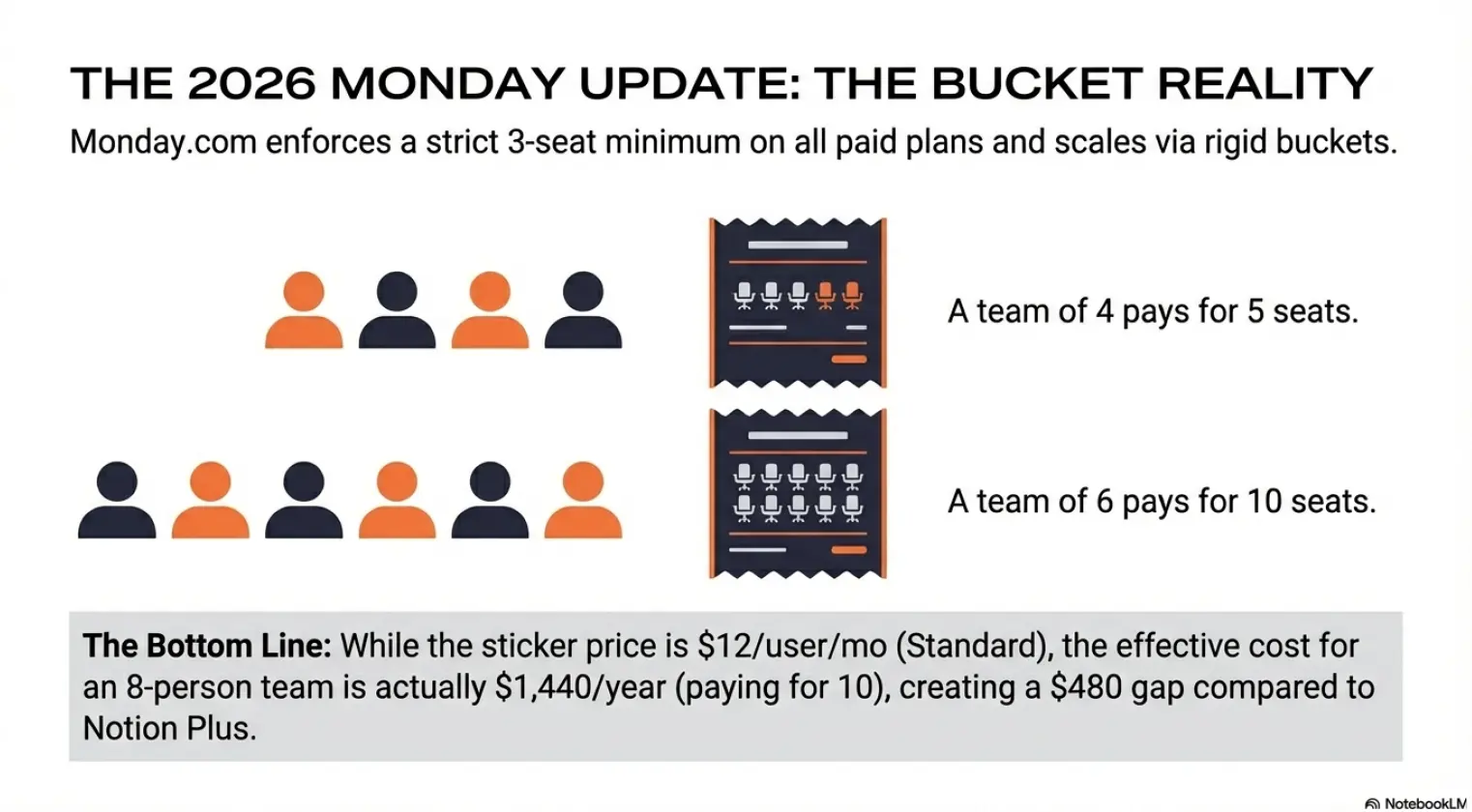
Notion AI is no longer a separate add-on. Since mid-2025, full AI access — including Notion Agent and Enterprise Search across Slack, Jira, and GitHub — is bundled into Business at $20/user/mo. Teams previously paying Plus ($10) + the old AI add-on ($10) = $20 now get SSO, private teamspaces, and 90-day version history at the same effective price. Monday.com still requires a 3-seat minimum on all paid plans. Bucket pricing means a team of 4 pays for 5 seats. Factor both into any cost comparison.
Real Cost at 10 Users — Annual Billing
| Tier Comparison | Notion / year | Monday.com / year | Delta |
|---|---|---|---|
| Entry paid (Plus / Basic) | $1,200 | $1,080 | Monday saves $120 |
| Mid-tier (Business / Standard) | $2,400 | $1,440 | Monday saves $960 |
| Advanced + AI (Business / Pro) | $2,400 (AI included) | $2,280 | Nearly equal |
USD, annual billing, 10-seat team. Monday uses 10-seat bucket. Verify current rates at notion.com/pricing and monday.com/pricing.
Use Cases & Workflow Examples
This is where the category difference between the two tools becomes concrete. The right choice depends almost entirely on what your team spends most of its time doing.
Company Knowledge Base & Internal Wiki
An ops team wants to centralize SOPs, onboarding docs, meeting notes, and company policies in one searchable place. Notion’s block-based editor handles this natively — pages nest inside pages, databases link to documents, and the 5,000+ template library covers most standard use cases. Monday has a basic docs feature but it’s not designed for deep knowledge management. Winner: Notion — not close.
Marketing Campaign Execution
A marketing team running quarterly campaigns needs to assign tasks, track deadlines, manage approvals, and report progress to stakeholders. Monday’s timeline view, status columns, and automated notifications handle this workflow cleanly. You can set up a campaign board in under an hour using a template. Notion can replicate this with databases and linked views, but it requires significantly more manual setup and the reporting capabilities are limited. Winner: Monday.com.
Product Roadmap & Sprint Planning
A product team needs to manage a backlog, plan sprints, track feature status, and share a public-facing roadmap. Notion’s relational databases let you link epics to features to tasks — a genuinely powerful setup once configured. Monday’s board system handles sprint tracking cleanly with built-in Gantt and workload views. Both work, but Notion gives more flexibility for teams that want to customize their PM system from the ground up. Winner: Tie — Notion for customization, Monday for speed.
Editorial & Content Operations
A content team managing an editorial calendar, writer briefs, review cycles, and publishing schedules. Notion’s combination of a database for the calendar and linked pages for each article is one of the best content ops setups available in any tool. Writers can draft directly in Notion, editors can comment inline, and the status column in the database tracks each piece from brief to published. Monday can manage the workflow side but lacks the native writing environment. Winner: Notion.
Pros & Cons
Notion — Strengths & Limitations
- Most flexible workspace tool in the category
- Relational databases link content across the workspace
- 5,000+ community templates cover nearly every use case
- Strong free tier — unlimited blocks for individuals
- Full AI bundled into Business at $20/user/mo (no separate add-on)
- Blank canvas problem — setup takes time and intention
- No native time tracking or advanced reporting
- Automation is limited without third-party tools like Make or Zapier
- Full AI requires upgrading to Business ($20/user/mo) — Plus only gets a trial
Monday.com — Strengths & Limitations
- 27+ project views including Gantt, Kanban, and Workload
- Robust built-in automations — no third-party tools needed on Standard+
- Fast onboarding — most teams are productive within a day
- Strong reporting dashboards with 30+ widget types
- Native time tracking on Pro plan and above
- 3-seat minimum — solo operators and 2-person teams pay for unused seats
- Bucket pricing means a team of 4 pays for 5 seats, 6 pays for 10
- Weak documentation and wiki capabilities
- No relational databases — boards don’t link the way Notion databases do
Who Is Each Tool Actually Built For?
The most common mistake teams make with these two tools is evaluating them by feature count instead of by workflow category. Both platforms are mature products. The gap isn’t capability — it’s architectural philosophy.
Notion Is Built For Teams Where Writing Is the Work
If your team’s primary output is documents — product specs, SOPs, meeting notes, research, editorial content — Notion is the right foundation. Its block-based model treats text as a first-class object. You can embed databases inside documents, link pages across the workspace, and build a knowledge structure that reflects how information actually connects in your organization. The closest analogy is Confluence, but Notion is lighter, more flexible, and significantly cheaper at comparable team sizes.
Teams that get the most out of Notion: content and editorial teams, product teams with heavy documentation needs, startups building their first internal wiki, consultants managing client knowledge bases, and individual operators running their entire business from one workspace.
Monday Is Built For Teams Where Execution Is the Work
If your team’s primary output is deliverables with owners, deadlines, and dependencies — campaigns, product launches, client projects, operational processes — Monday is the right foundation. Its board-based model treats tasks as first-class objects. Every item has a status, an owner, a due date, and a place in a workflow. Dashboards aggregate across boards, automations handle status changes, and stakeholder reporting doesn’t require a spreadsheet export.
Teams that get the most out of Monday: marketing ops teams, project management offices, agencies managing multiple client workstreams, operations managers coordinating cross-functional work, and any team that needs a shared view of who is doing what and when.
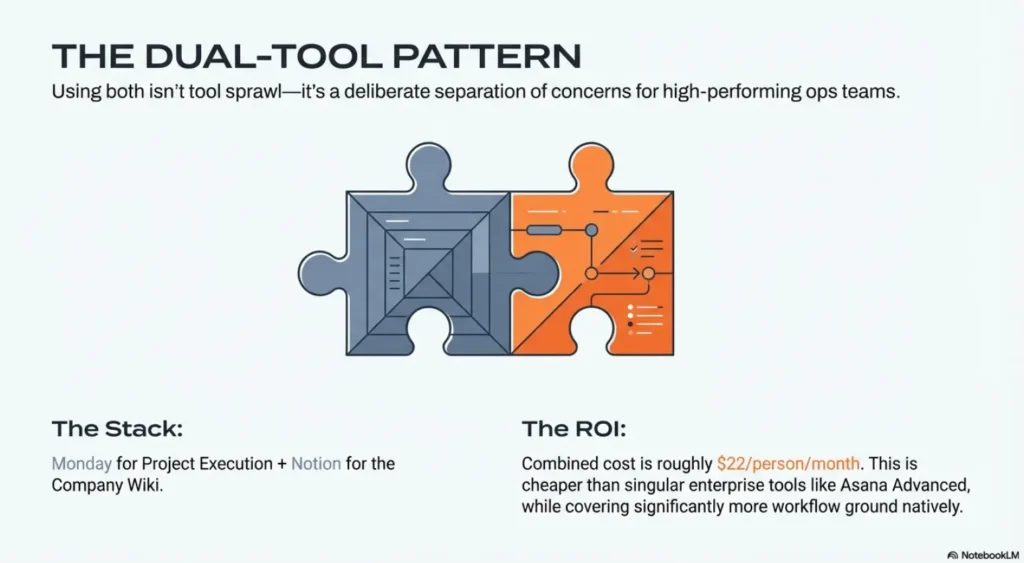
A significant number of high-performing ops teams run both: Monday for project execution and Notion for the company wiki. This isn’t tool sprawl — it’s a deliberate separation of concerns. The integration between the two is limited, but if your knowledge management and project management workflows are genuinely distinct, this setup is often the most pragmatic one. Budget for both before dismissing it.
Notion vs Monday by Industry
Most comparison guides stop at “use Notion for docs, Monday for projects.” That’s accurate but not useful for a real buying decision. Here’s how the tradeoffs play out across specific team types.
| Team Type | Better Fit | Why |
|---|---|---|
| Marketing / Content Ops | Split: Notion for editorial, Monday for campaigns | Use Notion for briefs and drafts. Monday for campaign tracking and cross-team approvals. |
| Software Development | Notion (lean teams), Monday Dev (structured sprints) | Notion works for small eng teams. Monday Dev is a stronger Jira alternative for structured sprint management. |
| Agencies (Client Work) | Monday.com | Client dashboards, deadline tracking, and multi-board reporting are native. Notion requires significant custom build to reach the same result. |
| Startups (0–20 people) | Notion | Lower cost, flexible enough to serve as wiki + PM + HR docs in one workspace. Monday’s 3-seat minimum is a real cost problem at this stage. |
| Operations / PMO | Monday.com | Workload views, Gantt charts, and automation depth make cross-team coordination practical without a dedicated PM tool admin. |
| HR / People Ops | Notion | Onboarding docs, employee handbooks, and HR wikis are natural Notion use cases. Monday handles HR workflows but has no document layer. |
| Research / Academia | Notion | Linked databases, inline references, and flexible page structure suit research workflows. Monday adds no meaningful value here. |
| Sales Teams | Monday CRM (separate product) | Monday’s CRM is a dedicated module priced separately from Work Management. Evaluate it on its own merits against HubSpot or Pipedrive. |
Switching Costs and Migration Reality
Feature lists don’t include the cost of change. Before committing to either platform, consider what it actually takes to move your team and data.
Migrating to Notion
Notion supports import from Confluence, Asana, Trello, Evernote, Google Docs, and CSV. Import quality varies — structured data like tasks and tables migrates reasonably well; rich text formatting often needs manual cleanup. Expect 2–4 weeks to reach productive steady-state for a team of 10, longer if you’re building databases from scratch. The blank canvas problem is real on day one. Make a workspace architecture decision before you start migrating content, or you’ll rebuild it twice.
Migrating to Monday
Monday supports import from Excel, Google Sheets, Asana, Trello, and Jira. Board-to-board migration is straightforward for task data. Guided onboarding and 200+ templates mean most teams are running real workflows within a day or two. The migration challenge with Monday is usually the opposite of Notion: teams over-structure boards too early and build workflows that don’t match how work actually flows. Use the template library as a starting point, not a final configuration.
- You’re leaving Confluence and need a lighter, cheaper alternative
- Your current tool has no document layer (Monday, Asana, Trello)
- You have a small team and Monday’s 3-seat minimum is a cost problem
- Your workflow is information-centric, not task-centric
- You’re in Notion and your team keeps missing deadlines
- You need Gantt charts and workload views Notion can’t provide
- You’re scaling an agency or PMO with multi-client workflows
- Your team struggled to adopt Notion — Monday’s structure reduces friction
Which Tool Fits Your Team Size?
The right answer shifts significantly depending on how many people will use the tool and what they do day to day. Notion and Monday price, structure, and onboard differently at each stage — and the wrong choice at the wrong team size is usually a cost or adoption problem, not a features problem.
Solo Operators and Freelancers
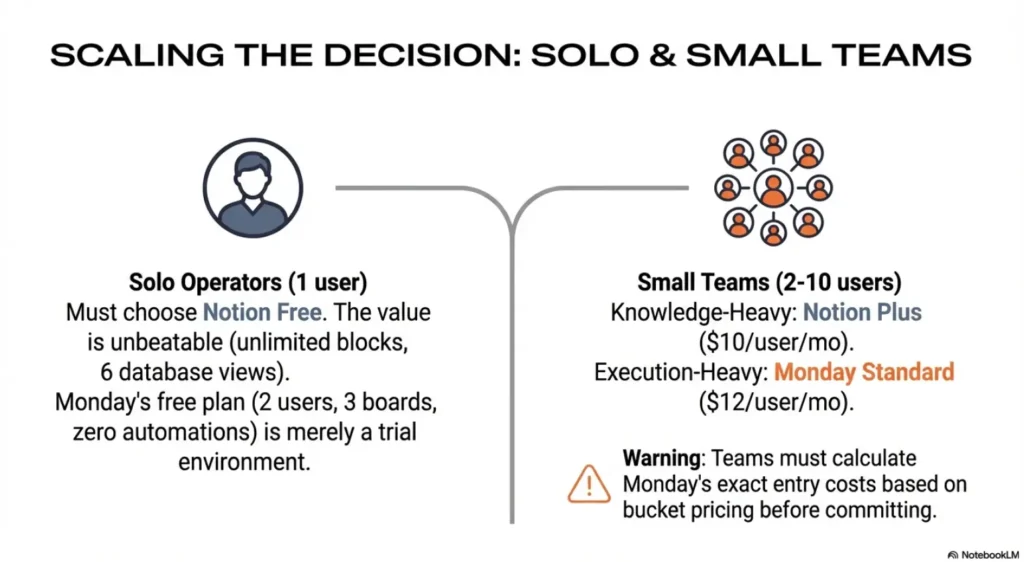
Use Notion Free. There is no meaningful competition at this tier. Notion’s free plan gives you unlimited blocks, unlimited pages, six database views including Board and Calendar, and no expiration date. You can run your entire business — client notes, project tracking, invoicing templates, personal CRM — out of a single Notion workspace at $0. Monday’s free plan caps at 2 users, 3 boards, and zero automations. For a solo operator, that’s a demo, not a working environment. If you’re a freelancer evaluating both platforms: start Notion Free, upgrade to Plus ($10/user/mo) only when you need team collaboration or version history beyond 7 days.
Small Teams (2–10 people)
Test both before committing to paid. At this size the decision is almost entirely about what your team does. Content, editorial, and knowledge-heavy teams almost always do better in Notion — the document layer is native, the database flexibility is real, and Plus at $10/user/mo is genuinely good value. Operations, marketing execution, and client-facing teams usually do better in Monday — boards are faster to set up, automations reduce manual work immediately, and the onboarding curve is measured in hours, not days.
The cost reality at 8 users on annual billing: Notion Plus costs $960/year. Monday Standard costs $1,152/year — but Monday requires a minimum of 3 seats and uses bucket pricing, so a team of 8 actually pays for 10 seats: $1,440/year. That $480 gap matters at small team size. Factor in the actual seat count, not the per-user sticker price.
Mid-Size Teams (10–50 people)
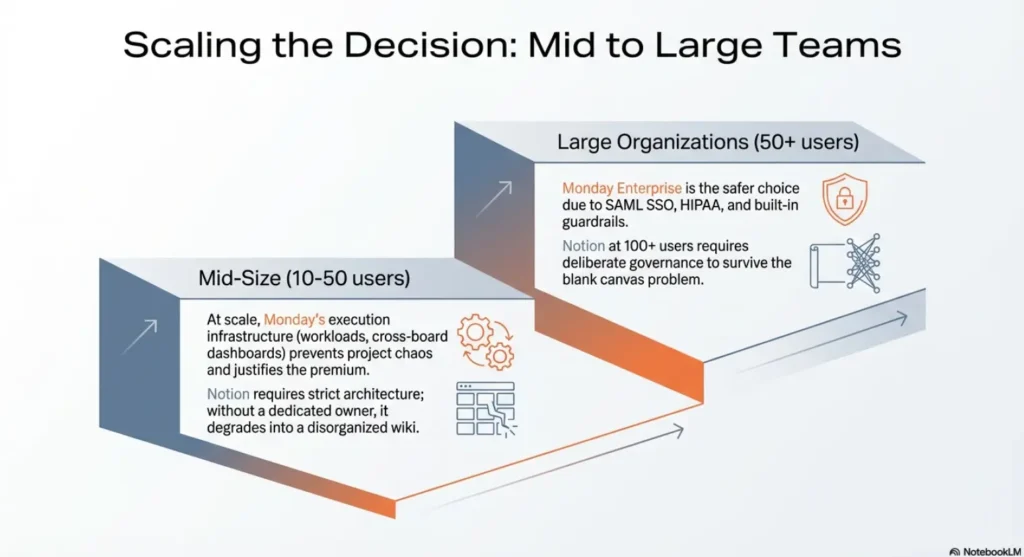
This is where Monday’s execution infrastructure starts to justify the price delta. At 20+ people running concurrent projects, Monday’s workload view, automation depth, and cross-board dashboards reduce coordination overhead that would otherwise fall on a project manager manually. Notion at this scale requires intentional workspace architecture — if nobody owns the structure, it degrades into a disorganized wiki fast. Both tools work at mid-size. Monday rewards you with structure automatically. Notion rewards you only if someone builds and enforces that structure deliberately.
For mid-size teams with both knowledge management and project management needs, the dual-tool pattern becomes worth considering: Monday for execution, Notion for the company wiki. At 20 people, the combined cost of Monday Standard ($2,880/year) plus Notion Plus ($2,400/year) is $5,280/year — roughly $22/person/month. That’s less than Asana Advanced alone at the same headcount, and covers more workflow ground.
Larger Organizations (50+ people)
Monday is the safer enterprise choice of the two. At scale, adoption consistency and admin control matter more than flexibility. Monday’s permission structure, SAML SSO on Enterprise, HIPAA compliance, and dedicated onboarding support make it easier to roll out across departments with varying technical comfort levels. Notion’s Enterprise plan covers SSO, advanced permissions, and audit logs — but rolling Notion out to 100+ people without a dedicated workspace admin is a common failure mode. The blank canvas problem scales: the larger the organization, the more governance you need around how Notion is structured, or it becomes unusable within 6 months.
If your organization already runs Confluence for documentation and needs a project execution layer, Monday is the cleaner add-on. If your organization wants to replace Confluence with something lighter, Notion Enterprise is worth a serious evaluation — it’s significantly cheaper than Confluence at comparable headcount and the migration path from Confluence is supported natively.
Solo or freelancer → Notion Free, no exceptions. Team of 2–5 → Notion Plus if knowledge-heavy, Monday Standard if execution-heavy. Team of 6–20 → pilot both for 2 weeks on a real project before committing. Team of 20+ → Monday for project execution, Notion for documentation, evaluate whether you need both or just one.
My Take — workflowAces
After testing both platforms extensively across different team configurations, here’s how I actually think about this decision — not as a feature checklist, but as someone who’s watched teams commit to the wrong tool and pay for it in adoption failures and wasted subscriptions.
The framing most people use is wrong from the start. They compare Notion’s database views to Monday’s Gantt charts, or Notion’s $10 Plus plan to Monday’s $12 Standard plan, and try to find the winner on specs. That’s not how either tool gets used in practice. The real question is simpler: is your team’s primary output information, or deliverables?
If your team produces information — documents, knowledge bases, product specs, research, SOPs, editorial content — Notion is the right foundation. I’ve seen content teams run their entire editorial operation out of a single Notion workspace: the content calendar as a database, each article as a linked page, editorial briefs drafted inline, review comments threaded on the page. No task manager needed. No separate wiki. One workspace that reflects how the work actually connects. That’s Notion doing what it was designed to do.
If your team produces deliverables — campaigns, product launches, client projects, operational processes with owners and deadlines — Monday is the right foundation. I’ve seen ops managers build a Monday setup in a single afternoon that gave their 15-person team complete visibility into who owns what, what’s blocked, and what’s due this week. The automation engine handled status notifications without anyone having to remember to send them. The workload view caught a resourcing problem before it became a missed deadline. That’s Monday doing what it was designed to do.
The mistake I see most often: teams pick Notion because it looks flexible and modern, then six months later nobody is updating it because the structure degraded and nobody owns fixing it. Or teams pick Monday because it looks organized and professional, then realize three months in that they’re paying $19/user/month for features their team never opens, and their documentation still lives in a Google Drive folder nobody can find.
My actual recommendation, based on team type:
If I were running a content or editorial team of any size, I’d be on Notion Business at $20/user/mo — full AI for writing assistance and meeting notes, private teamspaces for client work, and a documentation layer that actually integrates with how writers work. The fact that AI is now bundled into Business instead of sold as a separate add-on makes the $20 price point significantly more defensible than it was a year ago.
If I were running a marketing ops team or an agency managing multiple client workstreams, I’d be on Monday Pro at $19/user/mo — time tracking against client projects, workload view for capacity management, and automation rules that handle the coordination work I’d otherwise be doing manually every Monday morning. The 3-seat minimum is a real cost at small scale, but at 5+ people the per-seat math normalizes and the productivity gain is real.
If I were a solo consultant or a 2-person team just starting out, I’d be on Notion Free until I actually needed team collaboration features. The free tier is that good. Monday’s free plan — 2 users, 3 boards, no automations — is a trial environment, not a working setup.
The honest truth about this decision: both platforms are mature, well-supported, and used by serious teams at scale. You are not going to make a catastrophically wrong choice between these two. What you can do is make a slow wrong choice — pick the tool that doesn’t match your workflow category, spend 3 months trying to make it work, and switch 6 months later after your team has already developed a negative association with the platform. That’s the outcome worth avoiding.
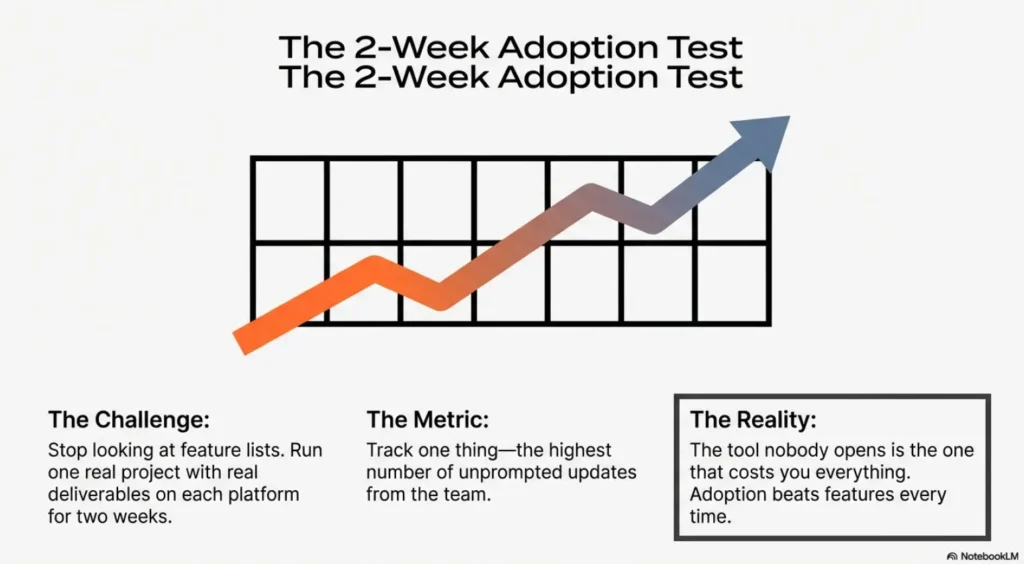
Run one real project on each for two weeks. Not a tutorial — a real deliverable with real deadlines and real team members. The one with higher unprompted update rates at the end of those two weeks is your answer. Adoption beats features every time.
Both platforms offer free tiers with no credit card required. Before committing to any paid plan, run a real project — not a demo — on each platform for two weeks. Track one metric: how many tasks or pages were updated without someone being reminded to do it. The tool with higher unprompted usage at the end of those two weeks is the one your team will actually adopt long-term. A tool nobody opens is a tool that costs you everything.
Integration Ecosystem
Monday has a clear edge in native integrations — 200+ out of the box versus Notion’s more limited set. Notion relies more heavily on its API and tools like Zapier or Make to extend its connectivity. For teams already deep in a SaaS stack, this difference matters.
Notion’s API is well-documented, completely free, and widely used — developers have built hundreds of community integrations that extend its capabilities significantly. If your team has technical resources, the native integration gap narrows considerably. For non-technical teams, Monday’s plug-and-play connectors are the faster path to a connected workflow.
Which One Should You Use?
Three questions that cut through the noise and point to the right tool for your situation.
Final Recommendation
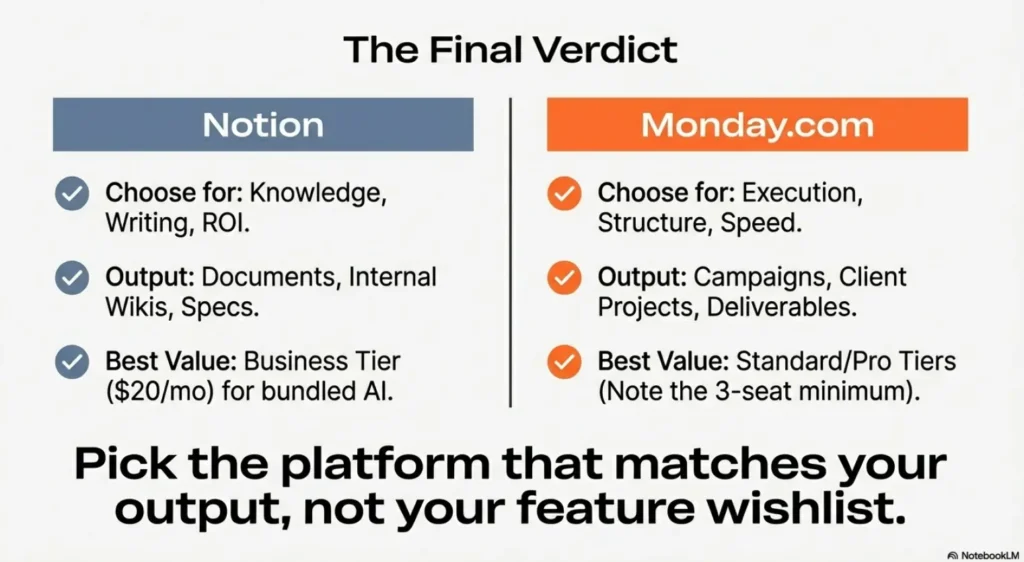
Pick Notion if your team’s primary output is documents, knowledge, and structured information — editorial teams, content ops, startups building internal wikis, researchers, or any role where writing and organizing information is the core workflow. The Plus plan at $10/user/mo is solid value for small teams. Business at $20/user/mo makes more sense once you need SSO or want full AI without a separate subscription.
Pick Monday.com if your team runs projects with clear owners, deadlines, and cross-functional dependencies — marketing teams, agencies, operations managers, or anyone who needs visual project tracking without spending a week configuring the tool. The 3-seat minimum and bucket pricing are real costs to model before signing up, but the onboarding speed and automation depth justify the premium for teams that will actually use those features.
The setup where you run both is more common than you’d expect: Monday for project execution and Notion for the company wiki and documentation layer. It’s not the leanest setup, but for teams where knowledge management and project management are genuinely separate workflows, it’s often the most practical one.
Notion’s free tier is one of the most capable in the category for individuals — unlimited blocks, all core views, no time limit. Monday’s free plan caps at 2 users and 3 boards with no automations. If you’re evaluating solo or as a 2-person team, start with Notion’s free tier. Only consider Monday once you have 3+ people and a concrete project management workflow that needs visual tracking.
Frequently Asked Questions
Is Notion better than Monday.com for small teams?
For teams of 1–2 people, Notion is the clear choice. Monday’s 3-seat minimum means you often pay for capacity you don’t use. For teams of 3–5, the decision depends on workflow: Notion wins for knowledge-heavy work, while Monday wins for project execution. At 10+ users, Monday’s automation and reporting depth starts to justify the higher per-seat cost.
Does Notion have project management features?
Yes, but they are secondary to its document functionality. Notion includes timeline views, Kanban boards, and task databases. However, it lacks dedicated PM features like native task automations, Gantt dependency mapping, and workload views. For straightforward tracking it works; for complex, cross-functional projects, Monday is significantly better equipped.
Is Monday.com worth the price?
At the Standard tier ($12/user/mo), yes—provided your team utilizes the automation engine to eliminate manual work. At the Pro tier ($19/user/mo), the value depends on whether you need native time tracking and private boards. The “bucket pricing” (fixed seat increments) is the most common cost surprise, so model your seat count before committing.
Can I use Notion and Monday.com together?
The most efficient “Dual-Tool” pattern is using Monday for project execution and Notion for documentation, SOPs, and the company knowledge base. While there is no deep native integration, tools like Zapier or Make can sync data between them. This combination often covers more workflow ground than any single enterprise tool.
Does Notion include AI in its paid plans?
It depends on the tier. Free and Plus plans only include a limited trial. The Business plan ($20/user/mo) now bundles full AI access, including Notion Agents for autonomous tasks, Enterprise Search across apps like Slack or Jira, and AI Meeting Notes. The old $10/mo standalone AI add-on was discontinued in mid-2025.
What is the difference between Notion Plus and Notion Business?
The jump from Plus ($10/mo) to Business ($20/mo) is primarily about AI and security. Business adds full Notion AI capabilities, SAML SSO, private teamspaces, and 90-day version history. Since the separate AI add-on is gone, the Business tier is now the best value for teams that need both administrative security and automated AI workflows.