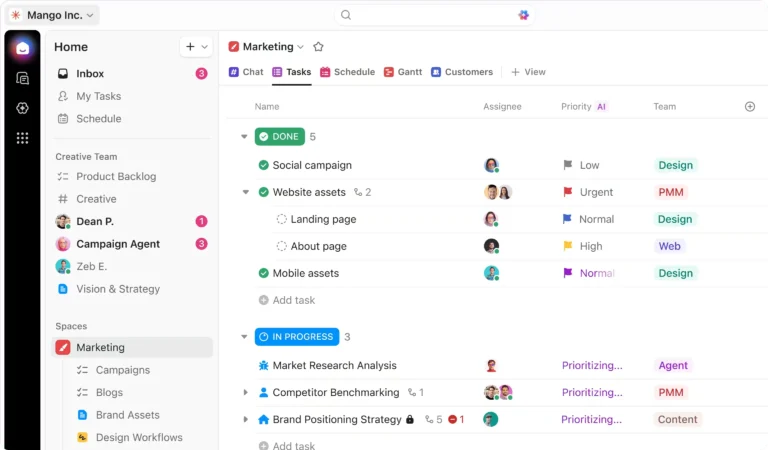
Tool Comparison · Updated March 2026
ClickUp vs Asana (2026): One Costs $1,559 More Per Year — Is It Worth It?
A direct comparison for ops managers, team leads, and SMB owners who need to pick one and stop second-guessing it.
📅 Updated March 5, 2026
🚫 No sponsored opinions
Overall Verdict
One costs $1,559 more per year. Here’s whether it’s worth it.
Choose Your Platform in 4 Questions
Deciding between ClickUp vs Asana is a conversation many teams have: someone swears by Asana’s simplicity, someone else just signed up for ClickUp’s free plan, and now you have to pick one before paying for both. The honest answer isn’t complicated — but it does depend on who’s using it and what they need it to do.
Asana is the cleaner, faster tool to deploy. ClickUp is the more powerful, cheaper platform that takes longer to tame. Neither is wrong. Picking the wrong one for your team costs you either adoption or money — sometimes both.
This comparison is based on verified data and user research. No sponsored opinions.
Looking for more ways to scale? We also compared Make vs Zapier to see which automation tool fits these project managers best.
ClickUp vs Asana: Platform Overview
Asana launched in 2008, founded by Facebook co-founder Dustin Moskovitz and Justin Rosenstein. It went public in 2020 and has over 150,000 paying customers including Spotify, Amazon, and Uber. Its core philosophy is clarity: tasks have owners, deadlines, and statuses, and nothing lives outside a structured project. That discipline is what makes it fast to learn and easy to enforce across a team.
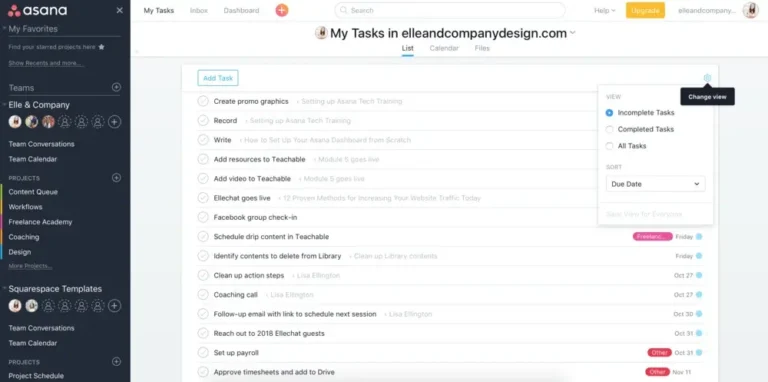

Asana vs ClickUp: 15+ Views vs. Simple Lists
We tested both platforms across 11 criteria that matter to ops managers, team leads, and growing SMBs. Here’s how they stack up.
| Feature | ✦ ClickUp | ◎ Asana | Winner |
|---|---|---|---|
| Free Plan | Unlimited tasks + members | Up to 10 users, limited views | ClickUp |
| Task Views | 15+ (List, Board, Gantt, Mind Map, Workload…) | 5 (List, Board, Timeline, Calendar, Workload) | ClickUp |
| Native Time Tracking | ✓ Built-in | ✗ Requires integration | ClickUp |
| Docs / Notes | ✓ Full doc editor | Basic task descriptions only | ClickUp |
| Automations (free plan) | ✓ 100/month | ✗ Paid only | ClickUp |
| Learning Curve | Moderate–High | Low | Asana |
| Portfolio Management | ✓ All plans | ✓ Advanced plan+ | Tie |
| Goals / OKR Tracking | ✓ Built-in | ✓ Advanced plan only | ClickUp |
| Reporting & Dashboards | Highly customizable | Solid but rigid | ClickUp |
| Mobile App | Good | Better rated | Asana |
| Customer Support | Chat + docs | Strong docs + community | Asana |
Data as of March 2026. Verify current plan features on each platform’s pricing page before committing.
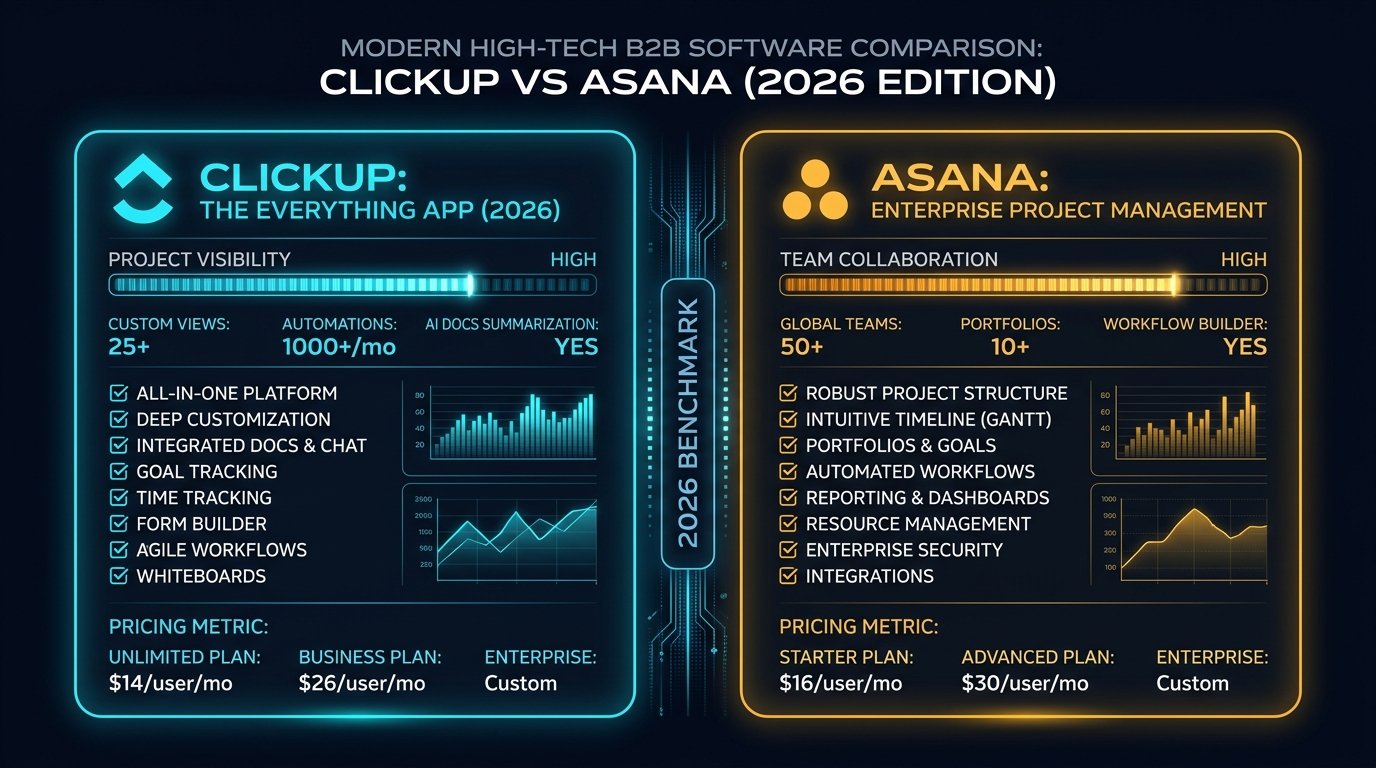
Pricing Breakdown: Why Asana Costs $1,559 More Than ClickUp
Both tools charge per user per month, but the gap between them widens fast as your team grows. ClickUp’s most popular paid plan costs $12/user/month. Asana’s equivalent plan costs $24.99/user/month — more than double. At 10 users on annual billing, that’s a $1,499 difference per year for comparable functionality.
The free plan gap is also significant. ClickUp’s free tier gives you unlimited tasks, unlimited members, and 100 automations per month. Asana’s free tier caps you at 10 users and locks out timeline view, automations, and custom fields entirely.

Use Cases & Workflow Examples
The right choice shifts depending on what your team actually does day-to-day. Here’s where each platform pulls ahead.
Marketing Campaign Management
A marketing team running multi-channel campaigns needs to track briefs, assign deliverables, set review deadlines, and hand off to design. Asana’s Timeline view maps this cleanly with task dependencies — you can see exactly when a delay in copywriting pushes the design deadline. The interface is fast to learn, and non-technical marketers are productive within a day. Winner: Asana.
Software Development / Agile Sprints
A dev team running two-week sprints needs sprint boards, story points, burndown tracking, and time logging against tickets. ClickUp’s sprint reporting, built-in time tracking, and custom task statuses handle this without third-party tools. In Asana, you’d need to integrate a separate time tracker and approximate sprint reporting with workarounds. Winner: ClickUp.
Agency Client Project Management
An agency managing 10 concurrent client projects needs portfolio visibility, workload balancing across team members, and the ability to share project status with clients. Both tools handle this, but Asana’s portfolios (Advanced plan) give a cleaner cross-project overview with less setup. ClickUp can do the same but requires more configuration time upfront. Winner: Asana for teams that need it fast; ClickUp for agencies willing to configure it properly.
Operations / Process Automation
An ops team wants to automate recurring tasks: when a task is marked complete, assign a follow-up to a specific person, change the priority, and send a Slack notification. ClickUp handles this on its free plan with 100 automations per month. Asana locks automations behind paid tiers entirely. For process-heavy teams, that free automation access alone justifies choosing ClickUp. Winner: ClickUp.
Pros & Cons
ClickUp — Strengths & Limitations
- More features per dollar than any comparable tool
- Native time tracking, docs, and goal tracking included
- 15+ task views including Mind Map and Workload
- Automations available on the free plan
- Highly customizable — workflows, statuses, fields
- Steep learning curve — expect 1 week to onboard properly
- UI can feel overwhelming with large workspaces
- Mobile app lags behind Asana in polish
- Feature overload can reduce adoption on non-technical teams
Asana — Strengths & Limitations
- Cleanest interface in the PM category — fast to learn
- Strong mobile app, consistently well-rated
- Excellent documentation and community resources
- Timeline view and dependencies work intuitively
- Trusted by enterprises — Spotify, Uber, Amazon
- No native time tracking — requires third-party integration
- Automations locked behind paid plans
- Advanced plan is expensive at scale ($24.99/user/mo)
- Less customizable than ClickUp at every tier
Integration Ecosystem
Both tools cover the core SaaS stack. The gap appears in depth — ClickUp’s native integrations tend to be more configurable, while Asana’s are cleaner and faster to set up.
Pro Tip: Setting up your project manager is only the first step. To truly automate your sales pipeline, check our guide on how to set up Zapier automations for CRM and keep your data synced in real-time.
The Verdict: Is ClickUp Better Than Asana in 2026?
Three questions that will point you to the right answer for your team.

ClickUp vs Asana by Industry: Which One Fits Your Business?
Feature lists tell you what a tool can do. Industry fit tells you whether your team will actually use it. Here’s how the decision breaks down across the most common business types that evaluate these two platforms.

| Industry / Team Type | Recommended Tool | Primary Reason |
|---|---|---|
| Marketing & Content Teams | Asana | Timeline + dependencies map campaign workflows cleanly. Non-technical teams adopt it within a day. |
| Creative & Design Agencies | ClickUp | Native time tracking against client briefs, free guest access for clients, workload view for capacity planning. |
| SaaS & Product Teams | ClickUp | Sprint reporting, custom task statuses, burndown tracking, and GitHub integration without third-party tools. |
| Software Development | ClickUp | Full agile stack built in. Asana requires workarounds for story points and sprint velocity. |
| Consulting Firms | ClickUp | Billable time tracking, client workspace templates, and unlimited free guests on all paid plans. |
| E-commerce & Retail | Asana | Product launch templates, clean cross-functional task ownership, fast onboarding for seasonal staff. |
| Healthcare & Legal | Asana | Rigid task structure reduces process errors. Asana’s Enterprise+ covers HIPAA compliance requirements. |
| Education & Nonprofits | Asana | Nonprofit discount available on Starter and Advanced. Simpler interface for volunteer and part-time staff. |
| Construction & Field Operations | ClickUp | Workload view for crew scheduling, time tracking against job numbers, custom fields for site data. |
| Early-Stage Startups | ClickUp Free | $0 cost, unlimited members, 100 automations/month. No other free PM tier comes close at this stage. |
| HR & People Operations | Asana | Onboarding checklists, structured approval workflows, and clean task ownership across departments. |
| Finance & Operations Teams | ClickUp | Custom dashboards for KPI tracking, goal-to-task linking for OKRs, and time estimates vs actuals reporting. |
ClickUp AI vs Asana AI: What Actually Works in 2026


Both platforms added AI layers in 2024–2025. The implementations are different enough that it’s worth breaking down what each one actually does — and what it doesn’t.
ClickUp Brain
ClickUp Brain is included in the Business plan ($12/user/month) and operates as a connected AI layer across your entire workspace — pulling context from tasks, docs, comments, and goals simultaneously. The most useful features in practice:
- AI task summarization — paste a Slack thread or email into a task and Brain summarizes it into action items with assignees and due dates suggested automatically
- Standup generation — Brain reads your workspace and generates a written standup report in seconds, pulling from task updates across projects
- Doc writing assistant — works inside ClickUp Docs to draft SOPs, meeting notes, and project briefs based on prompts you give it
- Predictive blockers — flags tasks at risk of missing deadlines based on historical completion patterns in your workspace
The limitation: Brain is only as useful as your workspace discipline. If tasks have vague names and no updates, the AI produces vague output. Teams that already log progress in ClickUp get dramatically more value from it than teams using it loosely.
Asana Intelligence
Asana launched its AI features in 2024 under the name Asana Intelligence. It’s included in the Advanced plan ($24.99/user/month) and above. Standout features:
- Smart Goals — suggests goal wording and links goals to existing projects automatically
- Smart Summaries — generates a project status update by reading task completions and open blockers across a project
- Smart Fields — suggests custom field names and values based on your project type
- Risk identification — flags projects with too many open tasks relative to deadline proximity
| AI Feature | ✦ ClickUp Brain | ◎ Asana Intelligence |
|---|---|---|
| Plan required | Business ($12/user/mo) | Advanced ($24.99/user/mo) |
| Task summarization | ✓ Full workspace context | ✓ Project-level only |
| Standup generation | ✓ | ✗ |
| Doc writing | ✓ Full editor | ✗ Basic only |
| Risk detection | ✓ | ✓ Cleaner UI |
| Smart status updates | ✓ | ✓ More polished |
Which Tool Fits Your Team Size?
The right answer shifts significantly depending on how many people are using the tool and what they do day to day.

Solo Operators and Freelancers
Use ClickUp Free Forever. You get unlimited tasks, 100 automations per month, multiple views including Gantt and Board, and a built-in doc editor — all at $0. Asana’s free plan is functional but limited to basic list and board views with no automations. For a solo operator who wants to automate recurring workflows without paying anything, ClickUp’s free tier has no real competition in this category.
Small Teams (2–10 people)
Test both free plans before committing to paid. At this size, the decision is mostly about interface preference and how technical your team is. Marketing, content, and client services teams tend to do better in Asana — cleaner interface, less to configure, faster adoption. Product, engineering, and operations teams tend to do better in ClickUp — the flexibility pays off quickly once configured. On paid plans at 8 users: ClickUp Business costs $960/year vs Asana Advanced at $2,399/year. That gap is hard to ignore.
Mid-Size Teams (10–50 people)
ClickUp on value, Asana on governance. At this scale, per-seat cost becomes a real budget line. ClickUp’s workload management and time tracking start paying off for ops managers who need to balance capacity. Asana’s portfolio view is cleaner for cross-project reporting — useful when you have multiple concurrent projects and need executive-level visibility without building custom dashboards from scratch.
Larger Organizations (50+ people)
Asana is the safer enterprise choice. At scale, adoption consistency matters more than feature depth. Asana’s cleaner onboarding, stronger enterprise SSO implementation, and more mature permission structure make it easier to roll out across departments with varying technical comfort levels. ClickUp’s Enterprise plan covers most governance requirements, but implementation requires significantly more internal admin support to standardize across a large org.
How to Migrate: Moving from Asana to ClickUp (and Vice Versa)
Many teams evaluate these tools after already using one of them. Migration is manageable, but there are specific things to plan for before you commit to switching.

Moving from Asana to ClickUp
ClickUp has a native Asana importer built into the onboarding flow. It pulls over projects, tasks, assignees, due dates, comments, and attachments. What doesn’t transfer cleanly: Asana’s custom fields (need to be recreated manually in ClickUp), Timeline dependencies (need to be rebuilt in ClickUp’s Gantt view), and automations (need to be rebuilt from scratch in ClickUp’s automation engine).
Realistic timeline for a 10-person team: the import itself takes about 20 minutes. Rebuilding custom fields and automations takes 2–4 hours depending on complexity. Full team adoption to the new interface takes 1–2 weeks of parallel use.
Moving from ClickUp to Asana
Asana’s importer accepts CSV exports from ClickUp. The process is more manual — export your ClickUp data to CSV, clean the columns to match Asana’s import format, then import project by project. ClickUp’s nested task hierarchy (tasks → subtasks → checklists) doesn’t map cleanly to Asana’s flatter structure, so complex projects need to be restructured manually.
Realistic timeline: plan for a full week of admin work for a 10-person team with established ClickUp processes. Moving from ClickUp to Asana is harder than moving in the other direction — worth factoring in before you commit to either platform long-term.
ClickUp and Asana Alternatives Worth Considering
Depending on your use case, there are scenarios where neither ClickUp nor Asana is the right answer. Here’s where to look instead.

Monday.com — Best for Visual Workflows
Monday sits between ClickUp and Asana in complexity. Its visual board interface is faster to build in than ClickUp but more flexible than Asana. Pricing starts at $9/user/month with a minimum of 3 seats. The main advantage over both: Monday’s no-code dashboard builder is significantly faster to configure for non-technical ops managers who need real-time status boards. The downside: no meaningful free plan, and it gets expensive at scale faster than ClickUp.
Notion — Best for Knowledge-Heavy Teams
If your team spends more time in documents than task boards, Notion deserves consideration. Its database-linked pages let you build custom project management workflows without the rigidity of Asana or the complexity of ClickUp. The trade-off: Notion is not a project management tool first. Task tracking, deadlines, and workload management feel secondary compared to a purpose-built PM tool. Works well for teams of 1–5 where documentation and task management overlap heavily.
Trello — Best for Simple Kanban
Trello is the right choice if your workflow is genuinely simple: cards, lists, and a board. It’s the fastest tool to learn and deploy in this category. The free plan is generous for basic use. The limitation is the ceiling — Trello doesn’t scale well past simple kanban, and you’ll hit its limits quickly if you need Gantt views, time tracking, reporting, or complex automation. If you’re evaluating Trello alongside ClickUp or Asana, you’ve probably already outgrown Trello’s use case.
Jira — Best for Software Development
If your primary use case is software development with sprint management, Jira is worth evaluating seriously. Sprint boards, story point tracking, velocity charts, and native GitHub/GitLab integration are purpose-built for dev teams in a way ClickUp and Asana aren’t. The free plan covers up to 10 users with full sprint functionality. The downside: Jira is overkill for non-technical teams and notoriously difficult to configure and maintain correctly without dedicated admin support.
| Tool | Best For | Free Plan | Starting Price |
|---|---|---|---|
| ClickUp | Technical teams, power users | ✓ Unlimited tasks | $7/user/mo |
| Asana | Non-technical teams, enterprises | ✓ Up to 10 users | $10.99/user/mo |
| Monday.com | Visual workflows, ops managers | ✗ No free plan | $9/user/mo (min 3) |
| Notion | Docs + tasks, small teams | ✓ Personal use | $10/user/mo |
| Trello | Simple kanban, solo use | ✓ Basic boards | $5/user/mo |
| Jira | Software dev, agile sprints | ✓ Up to 10 users | $7.75/user/mo |
Frequently Asked Questions
Can ClickUp replace Asana completely?
Yes, for most SMB use cases. ClickUp covers everything Asana does — task management, project views, timelines, portfolio tracking, automations, and integrations — and adds time tracking, docs, and goals that Asana requires third-party tools or higher-tier plans to match. The main exception is large enterprise organizations that have already standardized on Asana’s permission structure and admin controls at scale.
Does ClickUp work for non-technical teams?
It can, but it requires intentional setup. The most common mistake: enabling every ClickUp feature at once and overwhelming non-technical users. Teams that successfully deploy ClickUp to non-technical users start with a single Space, a single view (usually List), and add complexity only as the team explicitly requests it. ClickUp’s onboarding templates are a good starting point that most teams skip — they reduce setup friction significantly.
Which is better for remote teams — ClickUp or Asana?
Both work for remote teams, but they solve different problems. ClickUp’s built-in docs and comments reduce context-switching — fewer tools means less coordination overhead across time zones. Asana’s cleaner interface and stronger mobile app are advantages when team members need to check in asynchronously without getting lost in a complex workspace. Remote teams with async-heavy workflows tend to prefer Asana’s simplicity. Remote teams running complex multi-department projects tend to prefer ClickUp’s consolidated toolset.
Can I use ClickUp for free forever?
Yes. ClickUp’s Free Forever plan has no time limit and includes unlimited tasks, unlimited members, 100 MB storage, 100 automations per month, and access to multiple task views including List, Board, and Calendar. The main limitations are storage (100 MB), no time tracking, and limited dashboard features. For solo operators or small teams with straightforward workflows, the free plan is genuinely functional without ever needing to upgrade.
What do large companies use — ClickUp or Asana?
Asana has the stronger enterprise footprint. Companies like Spotify, Amazon, Uber, Deloitte, and NASA use Asana at scale. ClickUp’s enterprise clients tend to be mid-market companies rather than Fortune 500. That said, the gap is narrowing — ClickUp’s compliance features, SSO support, and HIPAA-eligible Business Plus plan have made it viable for larger organizations. If your decision is influenced by industry standard adoption, Asana is the more established answer at enterprise scale.
Is ClickUp or Asana better for agencies?
Agencies have specific needs that separate them from internal teams: client-facing project visibility, time tracking against billable hours, workload management across multiple concurrent projects, and the ability to bring clients into the tool without charging for their seats. Both platforms handle this, but with different tradeoffs.
ClickUp’s unlimited free guests on all plans means you can give clients view-only or comment access to their project without adding to your bill — a meaningful cost advantage if you’re running 10+ client projects simultaneously. Combined with native time tracking and ClickUp’s 15+ views (including Workload view for capacity planning), it’s a strong agency tool at $12/user/month on the Business plan. The configuration investment is real — plan 1–2 weeks to set up a clean client workspace template before going live.
Asana works well for agencies that prioritize clean client communication over deep customization. Asana’s guest access is also free on paid plans. The portfolio view (Advanced plan, $24.99/user/month) gives agency managers a cross-project status dashboard that’s genuinely useful for weekly client reporting. The gap: no native time tracking until Advanced, and at $24.99/user/month, a 15-person agency team pays $4,498/year vs $2,160/year on ClickUp Business. For most agencies: ClickUp Business is the better value. Asana Advanced makes sense for agencies with 50+ users where the portfolio and workload tools justify the premium.
Is ClickUp really better than Asana?
ClickUp offers more features per dollar — native time tracking, docs, goals, and 15+ task views vs Asana’s 5. But “better” depends entirely on your team. ClickUp requires more setup and has a steeper learning curve. Asana is cleaner, faster to deploy, and has a better mobile app. For technical teams willing to invest time upfront, ClickUp wins. For non-technical teams that need something running by end of week, Asana wins.
How does ClickUp vs Asana handle time tracking?
This is one of the clearest differentiators between the two platforms. ClickUp includes native time tracking on all paid plans starting at $7/user/month. You can log time directly on any task, run time reports by team member or project, set time estimates and track variance, and view billable hours in the Timesheets view. For agencies, consulting teams, or any team that needs to understand where hours are going, this feature alone can justify ClickUp over Asana.
Asana does not include native time tracking on its Starter plan ($10.99/user/month). You get it starting on the Advanced plan ($24.99/user/month). If you need time tracking on Asana Starter, you have to integrate a third-party tool — Harvest, Toggl, or Clockify are the most common options. Each adds complexity and often cost. At the Advanced plan level ($24.99/user/month), Asana’s time tracking is functional but less detailed than ClickUp’s — no timesheet view, no variance reporting against estimates. For time tracking: ClickUp wins at every price point.
Which is better for marketing teams: ClickUp or Asana?
Asana is the more common choice for marketing teams, and for good reason. Marketing workflows — campaign briefs, content calendars, launch checklists — map cleanly to Asana’s Timeline view and task dependencies. A campaign manager can see exactly when the copy brief is due, when design picks it up, and when the final asset needs to be live. That linear dependency chain is Asana’s strongest feature, and marketing teams use it constantly. Asana also has a library of pre-built marketing templates (campaign tracking, editorial calendar, event planning) that reduce setup time significantly.
That said, ClickUp is the better choice for marketing teams that also manage budgets, track time against client accounts, or need to consolidate project management with documentation in one tool. ClickUp’s Docs feature means your campaign brief, task list, and asset tracker can all live in the same workspace. If your marketing team bills hours to clients or tracks time for resource planning, ClickUp’s native time tracking saves you a separate subscription. Default recommendation: Asana for pure marketing execution teams. ClickUp for marketing ops teams that also manage budgets and client reporting.
Why is Asana so much more expensive than ClickUp?
Asana’s Advanced plan ($24.99/user/month) targets mid-market and enterprise buyers who prioritize interface quality and dedicated support over cost optimization. ClickUp’s Business plan ($12/user/month) targets teams who want maximum features at a lower price point and are comfortable with more self-serve setup. Asana is betting that the usability premium justifies the price difference. For most SMBs, it doesn’t.
What do real users say about ClickUp vs Asana?
G2 reviews as of early 2026: Asana holds a 4.4/5 rating from 13,000+ reviews. ClickUp holds a 4.7/5 from 10,000+ reviews. The pattern in user feedback is consistent across review platforms. Asana users praise the clean interface, the speed of onboarding, and the quality of mobile apps. Common complaints: price increases at scale, features locked behind Advanced plan, and customer support responsiveness for non-Enterprise accounts.
ClickUp users consistently praise the feature depth, the free plan generosity, and the value at paid tiers. Common complaints: the learning curve, the occasional UI performance issues with large workspaces, and the mobile app lagging behind the desktop experience. One recurring theme in ClickUp reviews worth noting: teams that invested time in proper workspace configuration report high satisfaction. Teams that imported everything without structure first report frustration. The tool rewards intentional setup — which is either a feature or a bug depending on your team’s patience for that process.
After testing both platforms extensively, here’s how I actually think about this decision — not as a feature checklist, but as someone who’s watched teams succeed and fail with both tools.
If I were running a marketing agency with 8–15 people, I’d pick Asana Starter without hesitation. My team would be a mix of account managers, copywriters, and designers — people who are good at their jobs but have zero patience for configuring software. With Asana, I’d have everyone productive within a day, campaign timelines mapped with dependencies, and clean status updates I could share with clients directly. The $10.99/user/month is worth it purely for the adoption rate. A tool nobody uses is a tool that costs you everything.
If I were running a SaaS product team or a dev-adjacent ops team, I’d pick ClickUp Business at $12/user/month. I’d spend the first week building the workspace properly — custom statuses, sprint views, time tracking against features, docs linked to tasks. That week of setup pays back within the first sprint. Native time tracking alone eliminates a separate subscription. The AI Notetaker means standup notes write themselves. And at half the price of Asana Advanced, I’m reinvesting $1,500+/year into something that actually builds the product.
If I were a solo consultant or freelancer, I’d start on ClickUp Free Forever and never look back. 100 automations per month, unlimited tasks, a doc editor, and Gantt charts — all at $0. Asana’s free plan doesn’t come close for someone who needs to automate client onboarding workflows without paying for the privilege.
The honest truth: most teams overthink this decision. Pick the tool your team will actually open every morning. Run one real project on each for two weeks — not a demo, not a tutorial, a real deliverable with real deadlines. The one with higher completion rates at the end of those two weeks is your answer. Adoption always beats features.
The Bottom Line: Which Tool Should You Choose?

Pick ClickUp if you’re running a technical team, a dev-adjacent operation, or any team that’s willing to spend a week configuring their workspace in exchange for a significantly more powerful platform at roughly half the price. The feature set — time tracking, docs, goals, automations on the free plan, 15+ views — is hard to match at $12/user/month.
Pick Asana if your team is non-technical, if adoption speed is critical, or if you’re managing a large organization where clean structure and portfolio visibility matter more than customization. Asana’s interface is the best in class for usability, and that advantage is real when you’re onboarding 30+ people who don’t want to learn software.
The edge case worth mentioning: if you’re a solo operator or a team under 5 people, ClickUp’s Free Forever plan is one of the most capable free tiers in the PM category — unlimited tasks, members, and 100 automations per month. Asana’s free plan caps out at 10 users with no automations. Start there before spending anything.